Departures By Date
The Departures by Date report allows users to view all reservations departing on a given date. As a property manager, the user can use this report to track departures by date and reservation status. Filter by date and status. When a confirmation number or group is available, it’s linked to the reservation and opens in a separate tab when selected. It’s not available if it does not appear in the report.
Perform the following steps to generate the report:
Navigate to Reports ➜ All Reports ➜ Front Desk ➜ Departures By Date.
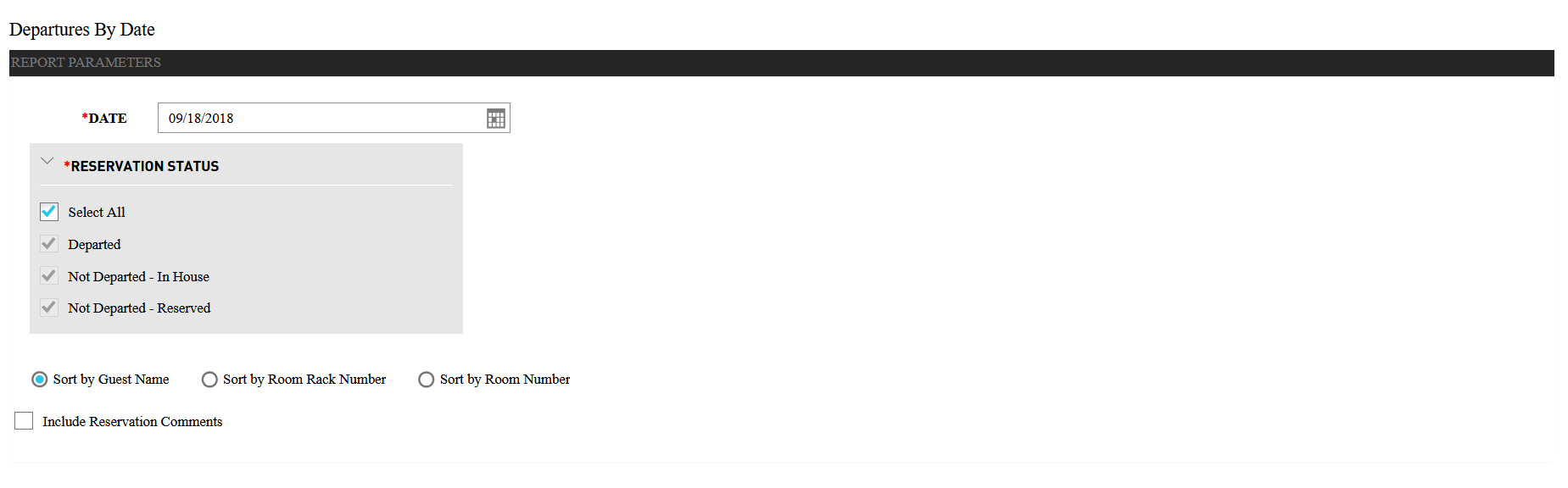
Select a date from the calendar to generate dates for the report.
Choose the checkbox under Reservation Status to include in the report:
|
Field |
Description |
|---|---|
|
Select All |
Includes all account statuses. |
|
In House |
Guests who are checked in and on the property. |
|
Departed |
Guests who already departed. |
|
Reservation |
Guests who have reservations on a future date and have not checked in. |
Choose which sorting options to include in the report:
|
Field |
Description |
|---|---|
|
Sort by Guest Name |
Sorts the report alphabetically by guest name. |
|
Sort by Room Rack Number |
Sorts the report by room rack number. |
|
Sorts by Room Number |
Sorts the report alphabetically by guest’s room number. |
Select the Include Reservation Comments checkbox to add the reservation comments in the report.
Click Generate. The report with the selected data appears.
Click Print to send a copy of the report to the printer.
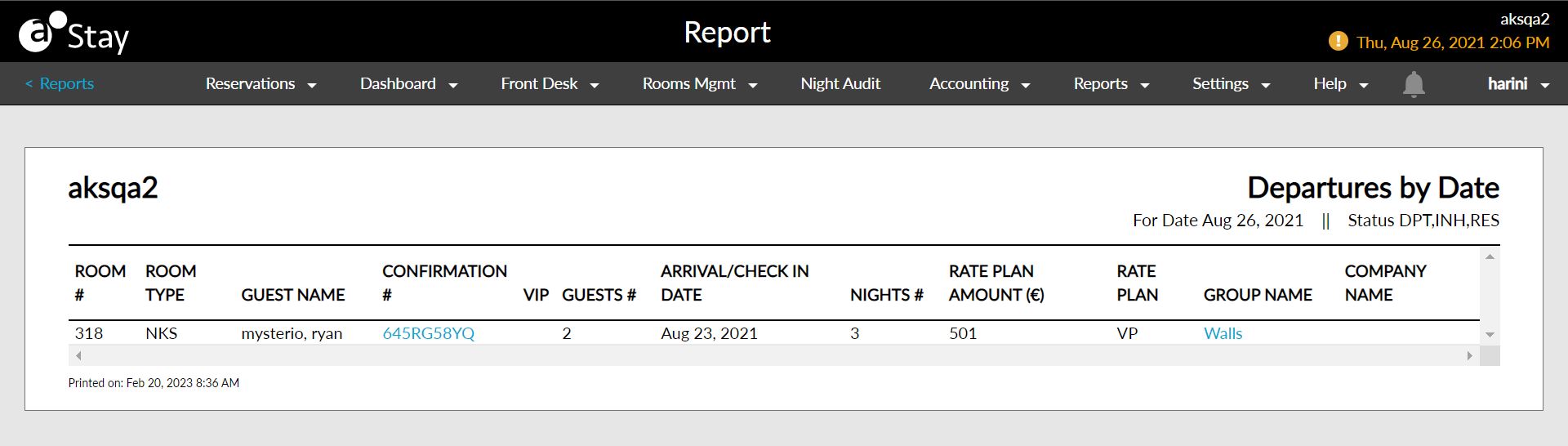
Sample Report
Report Parameters
This report displays the following parameters:
|
Field |
Description |
|---|---|
|
Room # |
The room number that the guest is staying in, if assigned. |
|
Room Type |
The type of room that the guest has reserved. |
|
Guest Name |
The guest name on the reservation. |
|
Confirmation # |
The confirmation number on the reservation. |
|
VIP |
The VIP status of the guest. |
|
Guests # |
The arrival date/check in date for the reservation. |
|
Arrival/Check In Date |
The total number of rooms that are Off the Market (OTM). |
|
Nights # |
The number of nights that the guest is staying for the reservation. |
|
Rate Plan Amount |
The rate being charged for each reservation. |
|
Rate Plan |
The rate plan associated with the reservation. If multiple rate plans are associated with the reservation, the rate plan currently in effect appears on the report. |
|
Group Name |
The group name on the reservation. |
|
Company Name |
The company name on the reservation. |